

YouTube to Gemini Notebook
Import a single video or an entire channel into Gemini Notebook (formerly NotebookLM) in one click. Shorts, playlists, and full channels, with built-in duplicate detection.
 Add to Chrome — It’s Free
4.84/5 · 30,000+ users on Chrome Web Store
Videos, Shorts, playlists and channels
Add YouTube videos without switching tabs
Gemini Notebook takes YouTube links one paste at a time. Notebook Clipper lets you add the video you are watching from the page itself or from the side panel, import whole playlists and channels in one go, and skip anything your notebook already has.
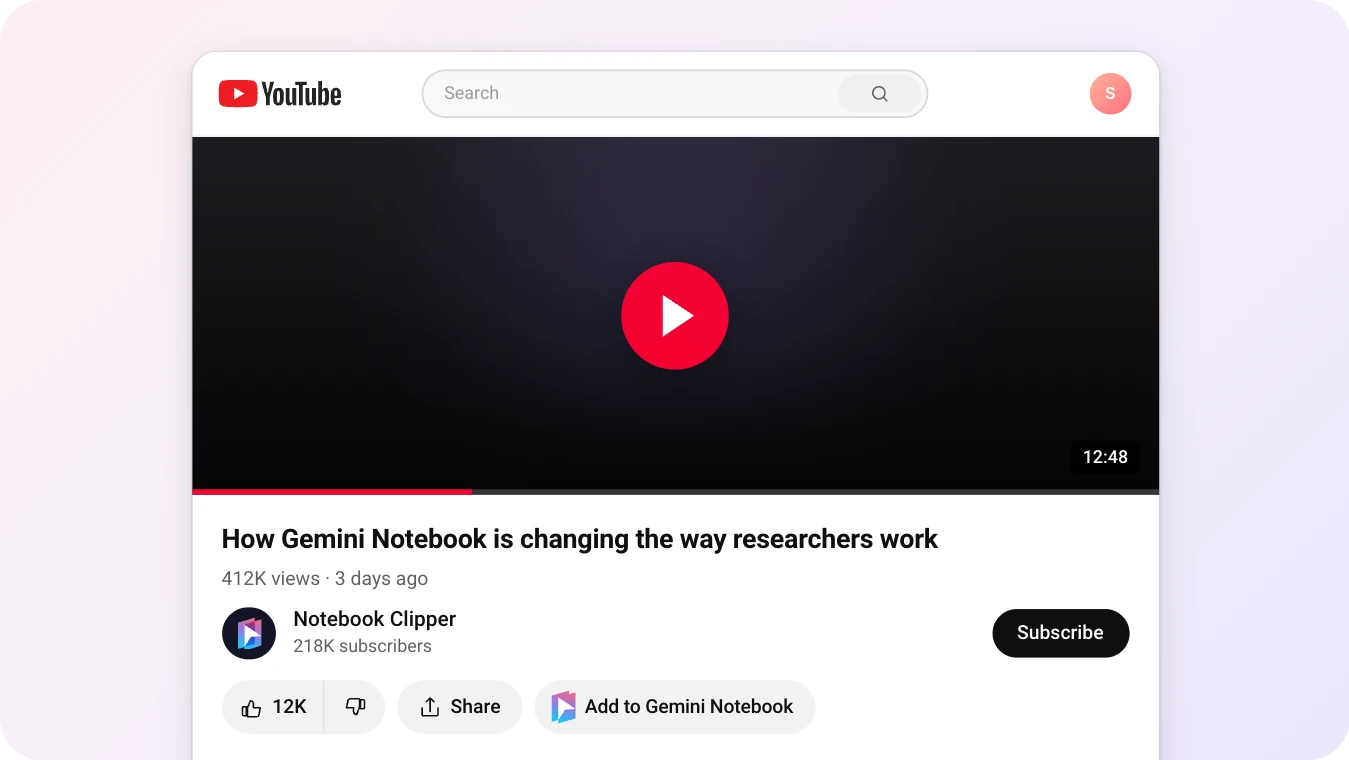
Single videos
Click Add to Gemini Notebook next to Share, pick a notebook, and the video is in it. Gemini Notebook takes it from there, exactly as if you had pasted the link yourself.
- Next to Share on every watch page, or from the side panel if you keep the button off
- Pick any notebook, or create a new one from the same dialog
- Already in that notebook? You get told, and nothing is added twice
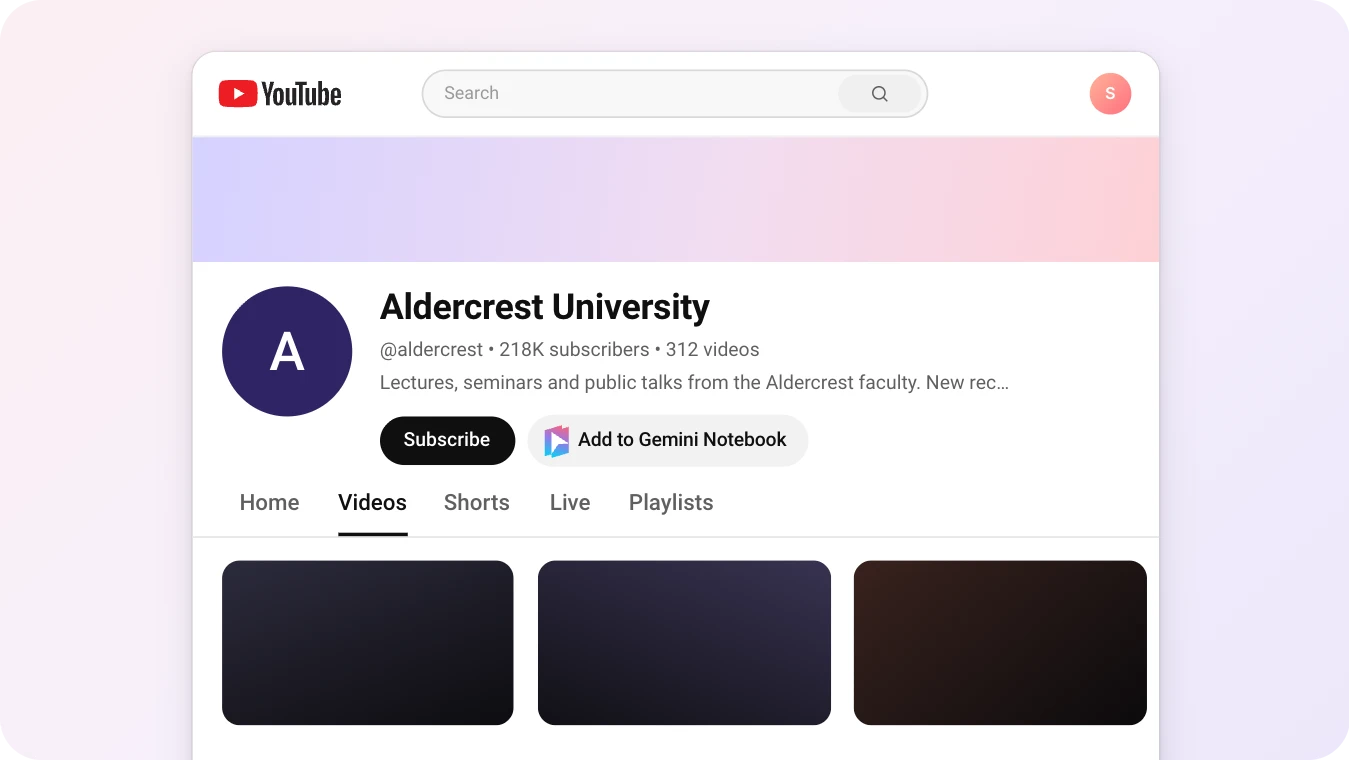
Entire channels
On a channel page, Add to Gemini Notebook sits next to Subscribe. It lists everything the channel has published, and you pick what goes into the notebook.
- Videos, Shorts and live streams, from channels of any size
- Pre-selects as many videos as your notebook has room for, or search and choose your own
- Anything already in the notebook is marked and skipped
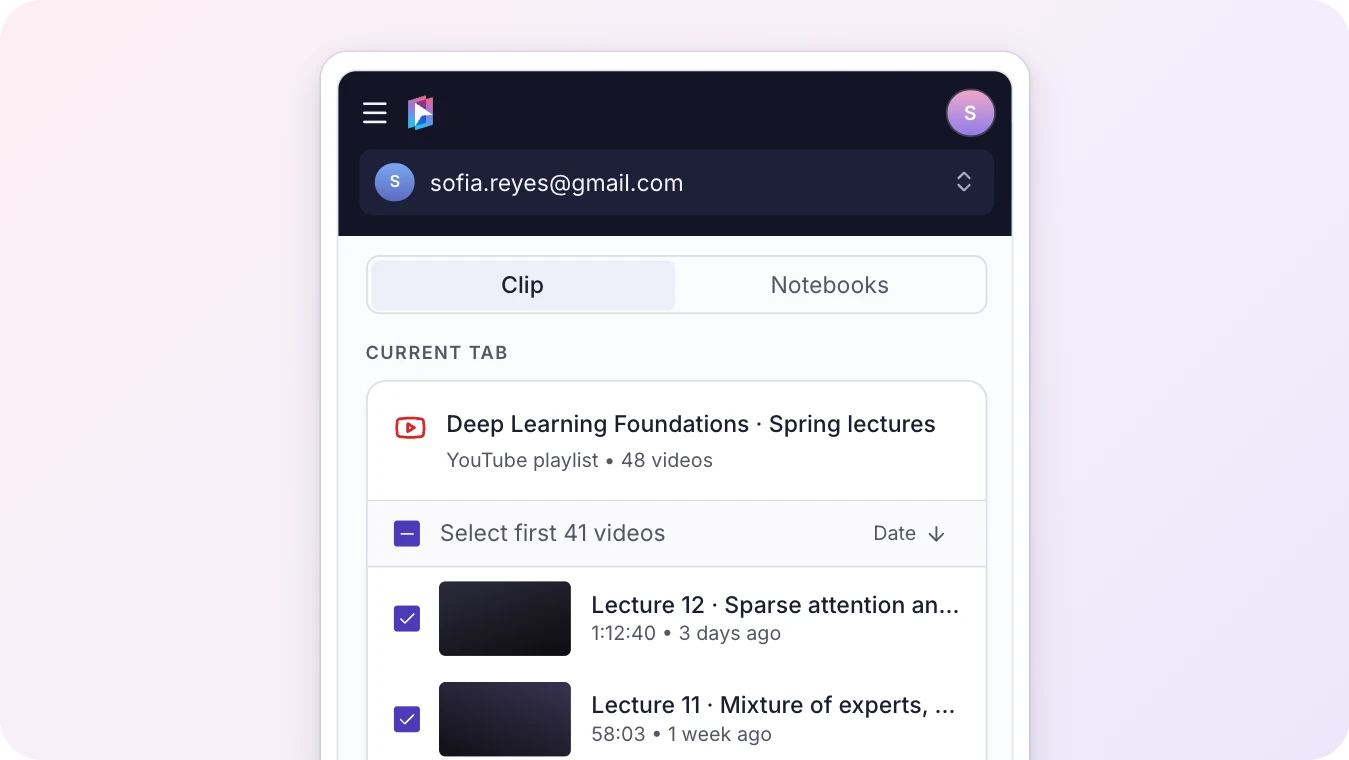
Full playlists
Open a playlist page, or the playlist queue that shows next to the video while you watch, and click Add to Gemini Notebook. Every video in the playlist is listed, and you choose what goes into the notebook.
- A whole course or lecture series becomes one notebook in one import
- Untick the videos you do not need before you import
- Run it again when the playlist grows, and only the new videos are added
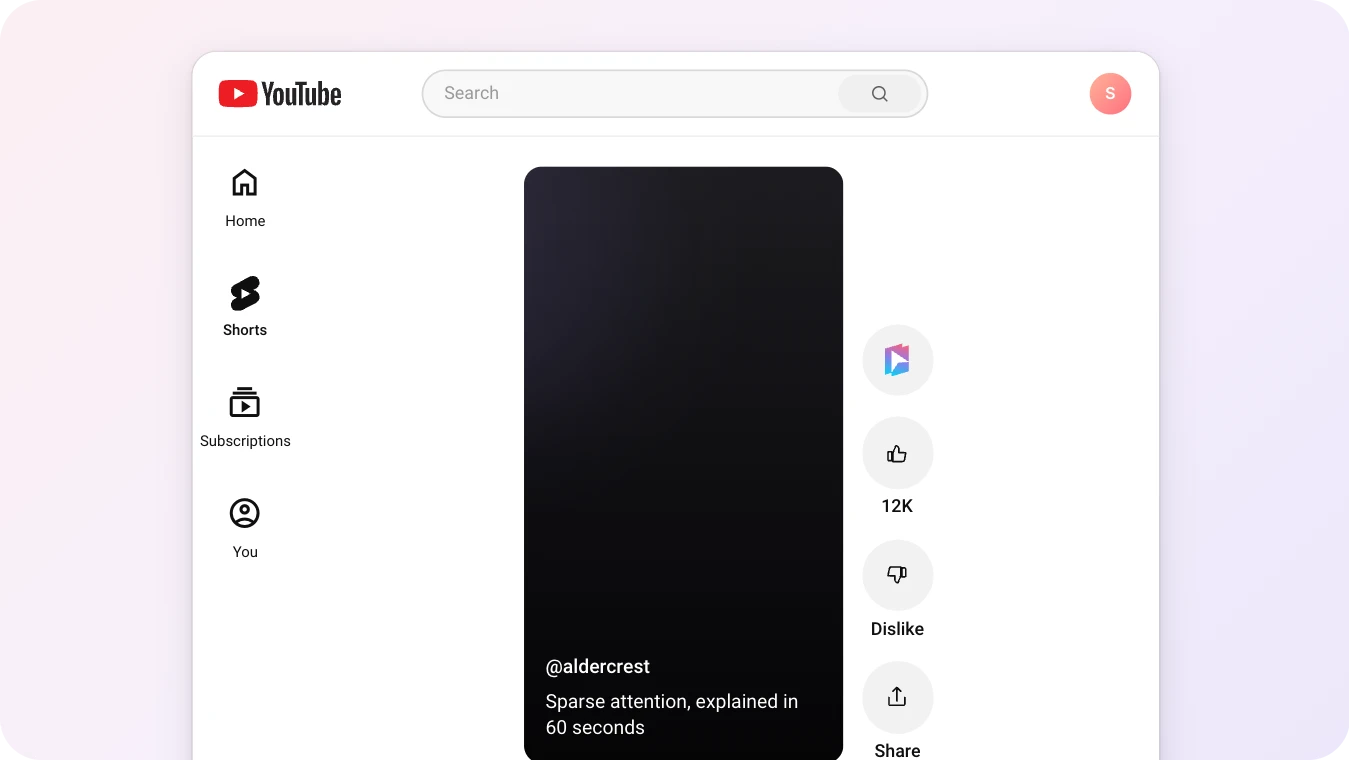
YouTube Shorts
On a Short, Add to Gemini Notebook is the first button in the row of buttons beside the video, above Like. The Short goes into your notebook the same way a full video does.
- Save a Short the moment it goes by, without leaving the feed
- A 60-second tip becomes a source you can ask about, just like a two-hour lecture
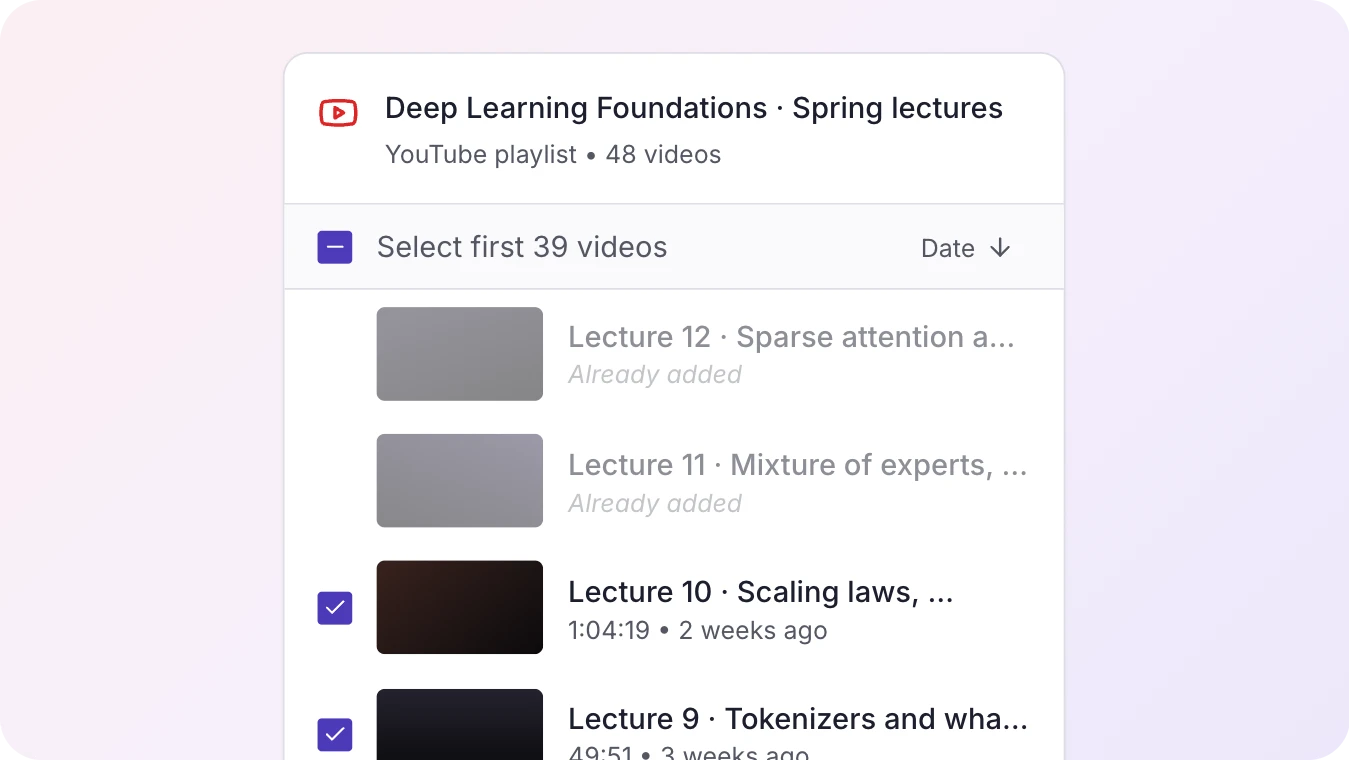
Duplicate detection
Before anything is added, Notebook Clipper checks what the notebook already holds. What is already there is marked and left out.
- Catches every video already in the notebook, whether it was added with the extension or by hand
- Works for a single video just as it does for a playlist or a channel
Testimonials
Loved by Researchers & Professionals
Great extension! I love how I can clip a YouTube video and have NotebookLM summarize it for me. Perfect for research.

Neto Cacace
Chrome Web Store
Frequently Asked Questions
Ready to Build Your Research Library?
Join thousands of researchers, students, and professionals who use Notebook Clipper to save anything to Gemini Notebook.
4.84/5 · 30,000+ users on Chrome Web Store