


Export a chat
Notebook Clipper saves the chat of a notebook in Gemini Notebook (formerly NotebookLM) as one file, with every question and answer in order and a list of the sources the answers cite.
Export the chat
Click Export at the top right
Export is the download icon left of Gemini Notebook’s own More options button, and it shows Export when you hover it. Clicking it opens a menu with the formats.
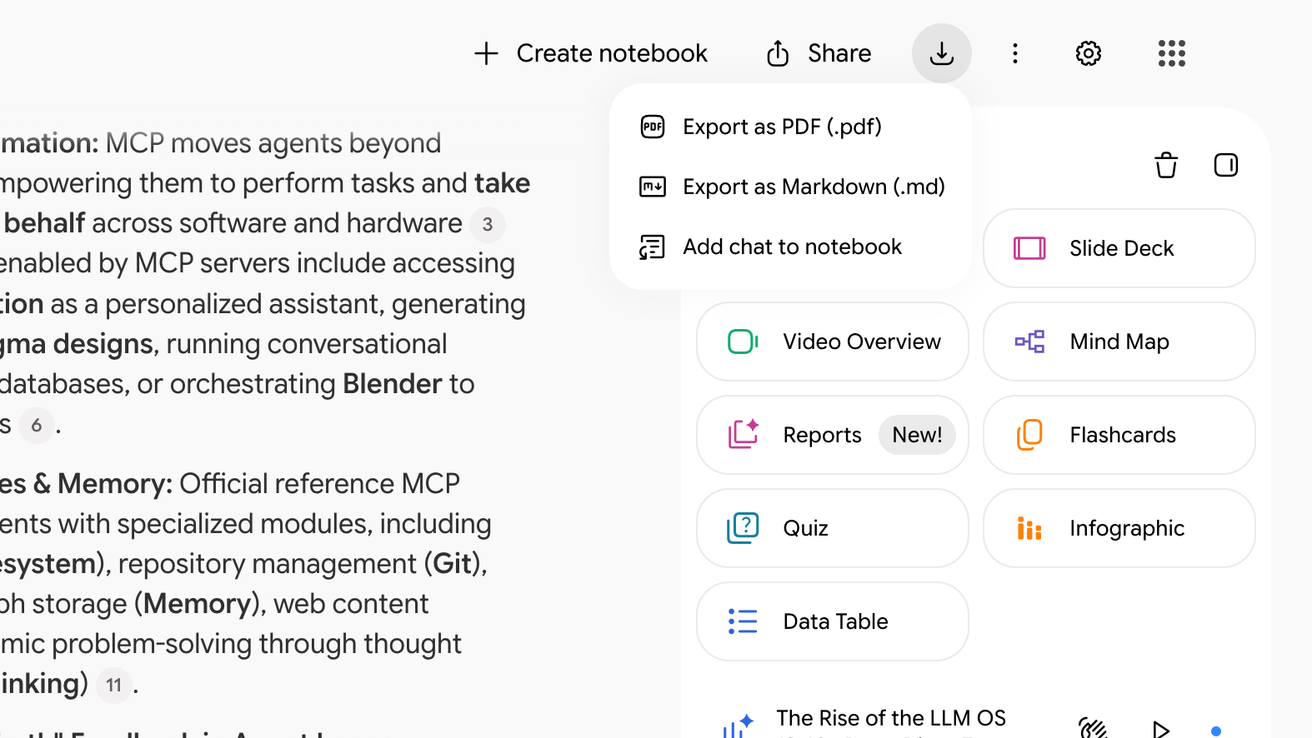
Click Export as PDF or Export as Markdown
The file downloads, and an empty chat shows the message No chat messages to export instead.